 Top
Player guide
Installation & activation.
The free addon works on its own. Follow the profile steps only if you have a class code.
Getting started
Install TopDPS
TopDPS is currently in beta. The addon’s public release is planned for CurseForge. If you have the beta addon ZIP, install it in the game’s default AddOns folder using the steps below. WoW loads TopDPS directly, so there’s no separate executable, launcher, or companion app to run.
- Exit the game. Open your World of Warcraft installation and find
_forever_/Interface/AddOns. - Extract the addon ZIP into
AddOns. Check thatTopDPS/TopDPS_Camelot.tocsits directly inside it. If upgrading, back up the old addon folder outsideAddOnsfirst. - Launch Forever. At character selection, open AddOns and enable TopDPS. Enter the world and type
/tdps options.
Existing TopDPS settings are account-wide and carry forward on addon updates. Players upgrading from the older SimGlow beta should move the old SimGlow addon folder outside AddOns and keep its saved settings as a backup.
See your first suggestion
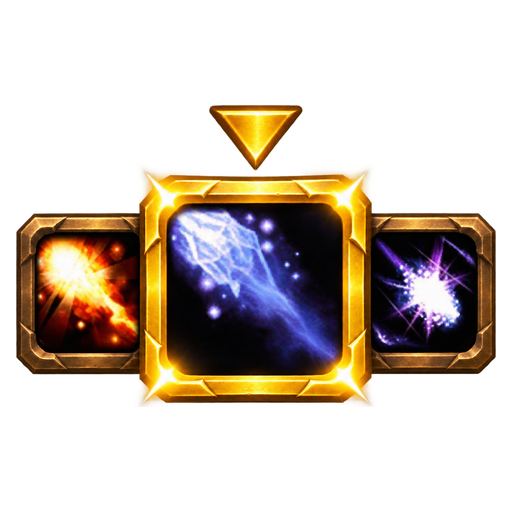
Place the abilities you know on visible action buttons, target a hostile enemy in range and enter combat. By default, the current suggestion glows gold. A blue border can show the upcoming ability. Use /tdps next on to enable that preview.
Blizzard controls Cooldown Manager visibility. Set it to your preference. Some proc-specific suggestions depend on tracked buffs when the client restricts other information.
Optional class profiles
Activate a profile
- Open your class profile text file and copy the entire code, including its
TDPS1:prefix. If you have a bundle, choose one class code at a time. - Outside combat, type
/tdps optionsand open the Profile tab. - Paste the code into Import profile and select Import & activate. Log out normally or type
/reloadto save it. - On a matching level 21–60 character, check Current character for the active profile. Your other selected class profiles stay saved for their characters.
One code covers the supported DPS and tank rotations for its class. The Druid code covers Feral Cat DPS and Bear tank threat. Through level 20, Starter remains active. You can return to it at any level using Use Starter for all classes.
Troubleshooting
TopDPS is missing from my AddOns list.
Check the game folder and unzip the addon. A second nested TopDPS folder prevents discovery. The expected path ends in _forever_/Interface/AddOns/TopDPS/TopDPS_Camelot.toc. Exit and relaunch the Forever client.
My profile shows Saved instead of Active.
Check the character’s class and level. A stored profile can show Saved while another class is active. Select Activate for the matching profile if you previously chose Starter for all classes. Profile changes must be made outside combat.
The import box rejects my code.
Copy the contents of one class text file, starting at TDPS1: and continuing to the end. A filename, ZIP or PayPal receipt cannot serve as a profile code. If the profile is already installed, confirm replacement only when you intend to update it.
I see no highlight.
Check that TopDPS is enabled, choose a hostile target and put trained abilities on visible action buttons. Some highlights require a usable spell, enough resources, an eligible target or an observable proc. Your options can change the color or turn the upcoming highlight off.